Four products. One platform.
SciMynd™ combines interactive 3D anatomy, AI-powered authoring, a medical knowledge hub, and adaptive workflows into a single enterprise-ready stack.
Browser-based 3D human anatomy.
No downloads, no plugins. Thousands of anatomical structures with AI-powered exploration, voice control, and a complete toolkit for education and clinical use.
Browse & Filter
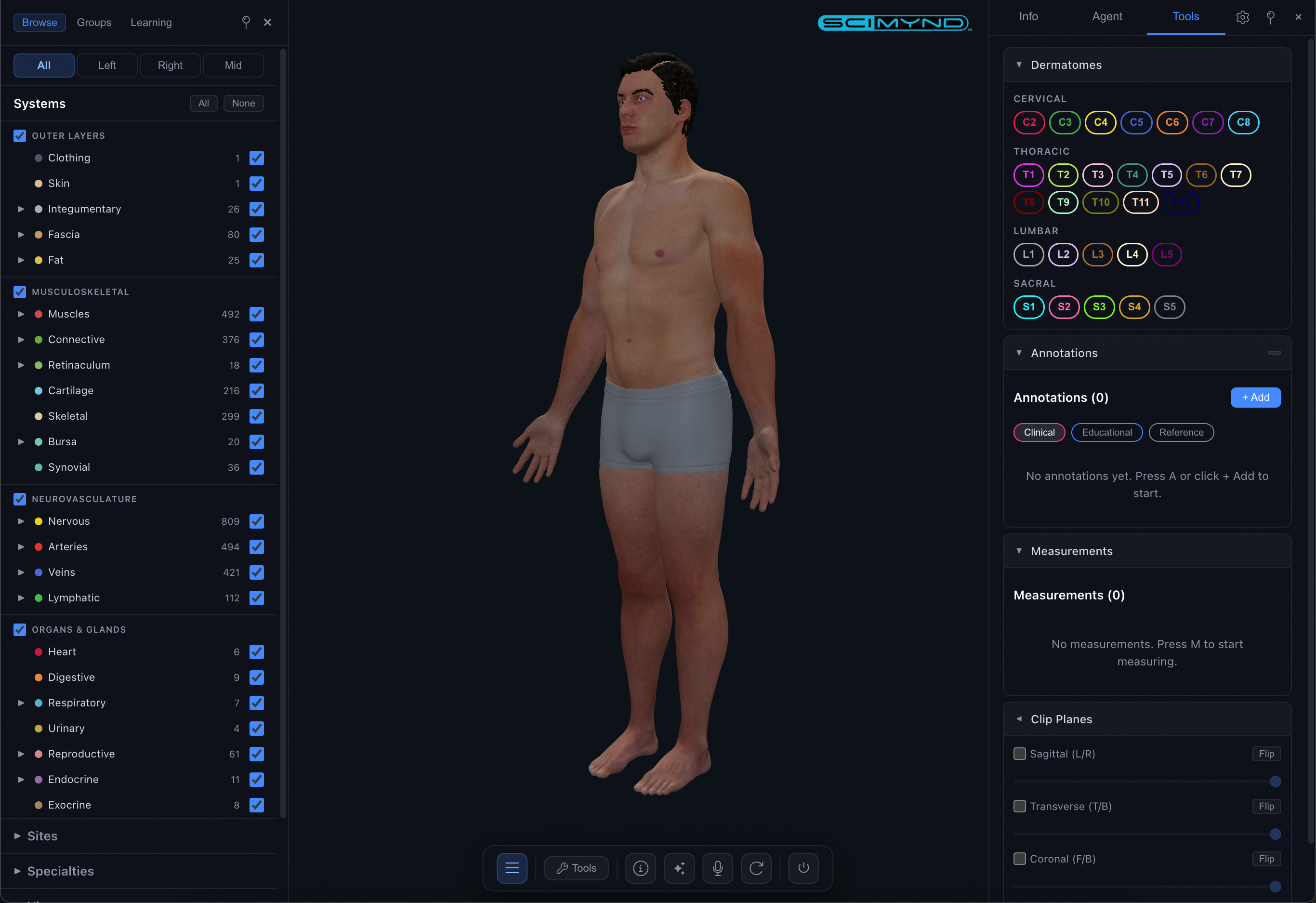
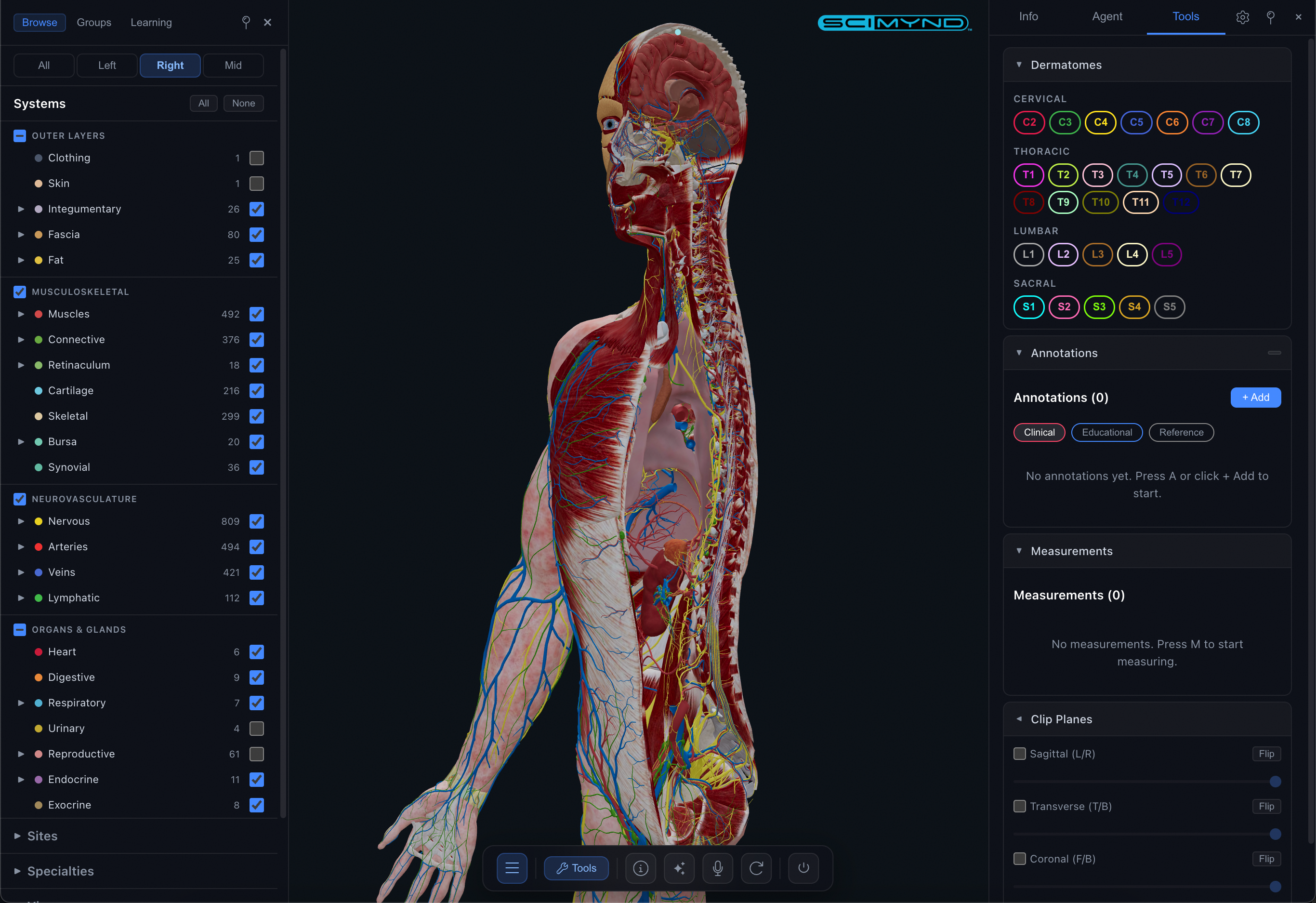
Toggle anatomical systems on and off. Filter by region, depth, laterality. Shift-click to solo a system. Multiple filter categories let you pinpoint exactly the structures you need.
Universal Search
Search across structures, configs, bookmarks, and learning paths from one keyboard shortcut. Results appear instantly with camera fly-to and automatic highlighting.
Structure Intelligence
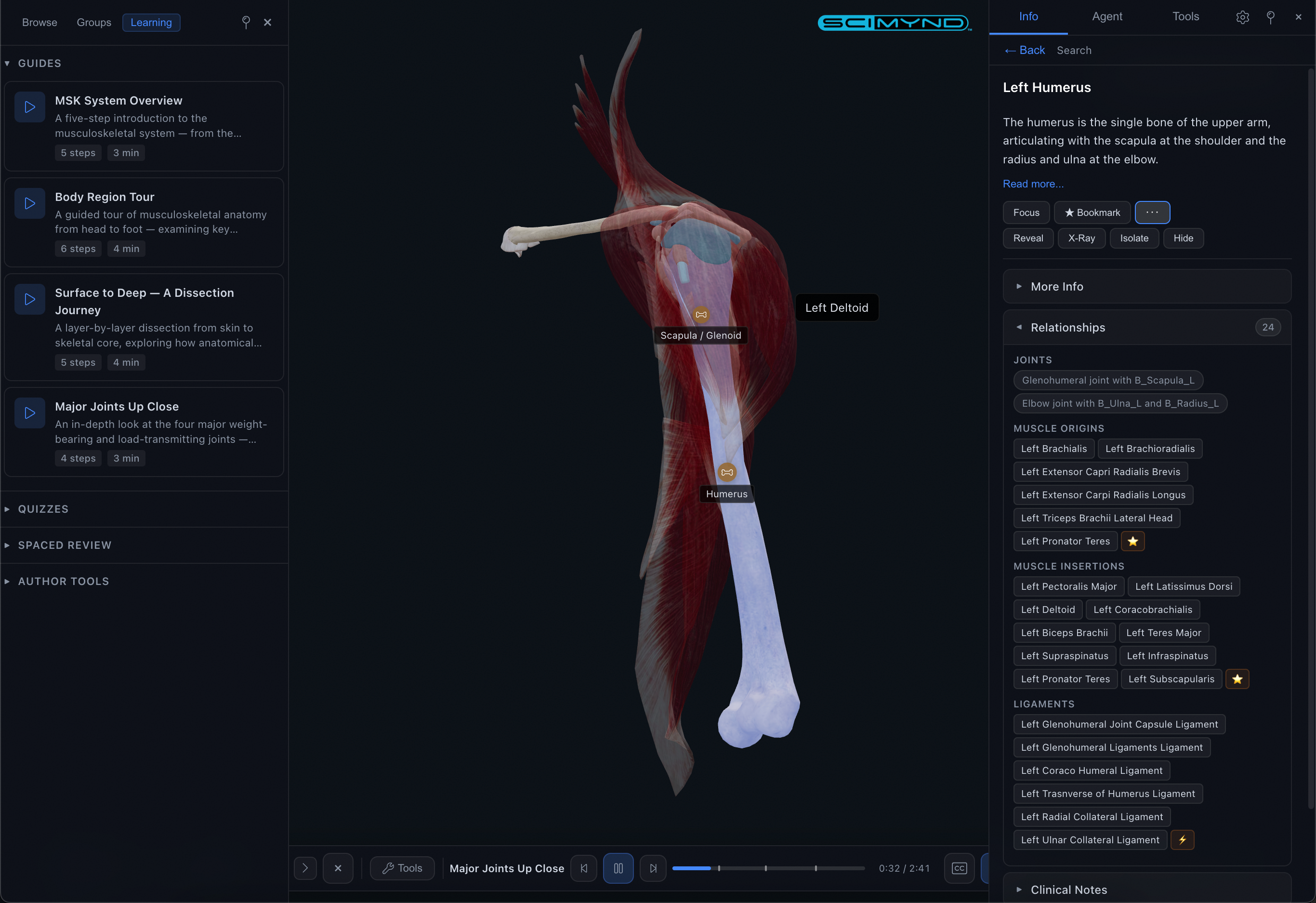
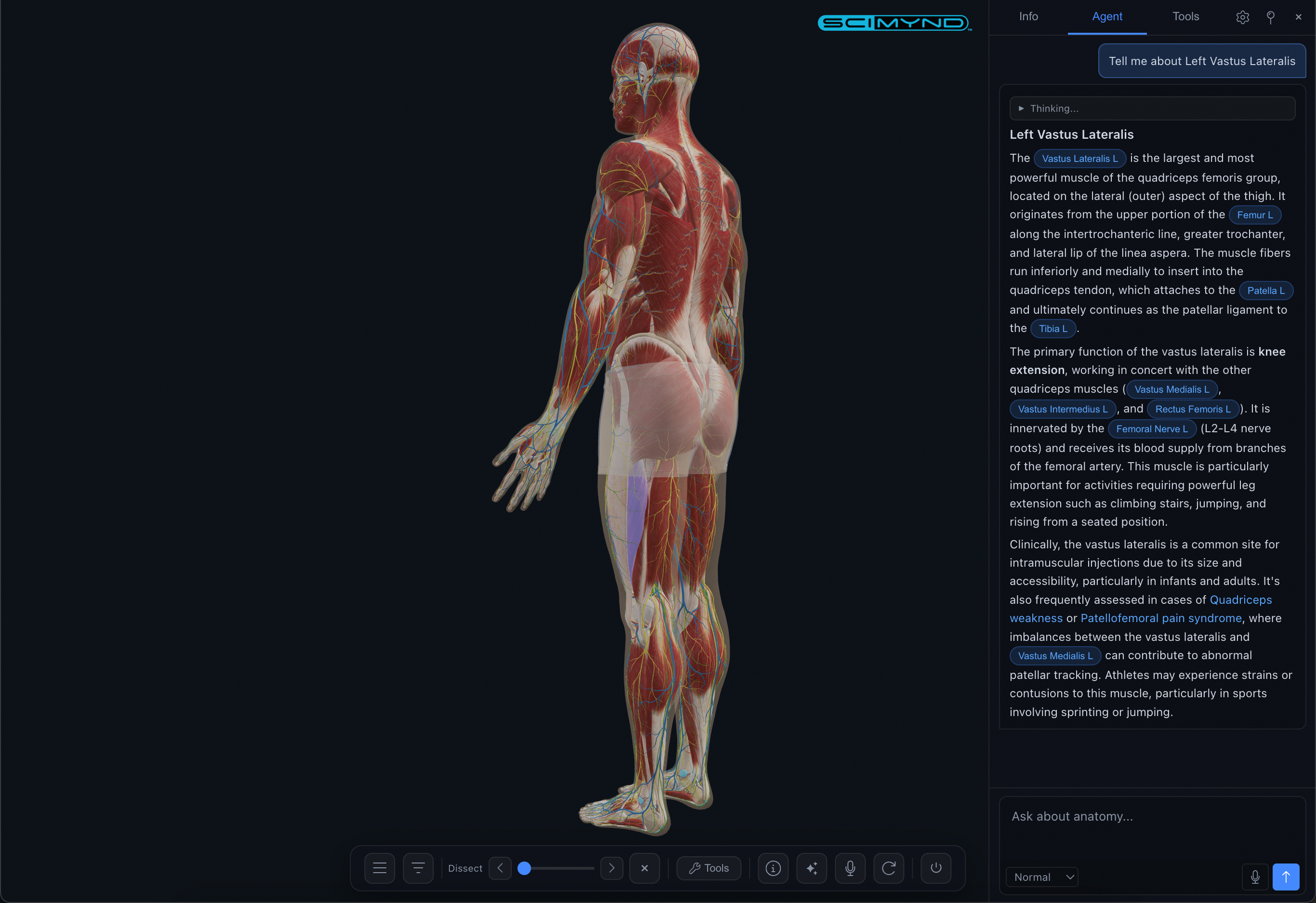
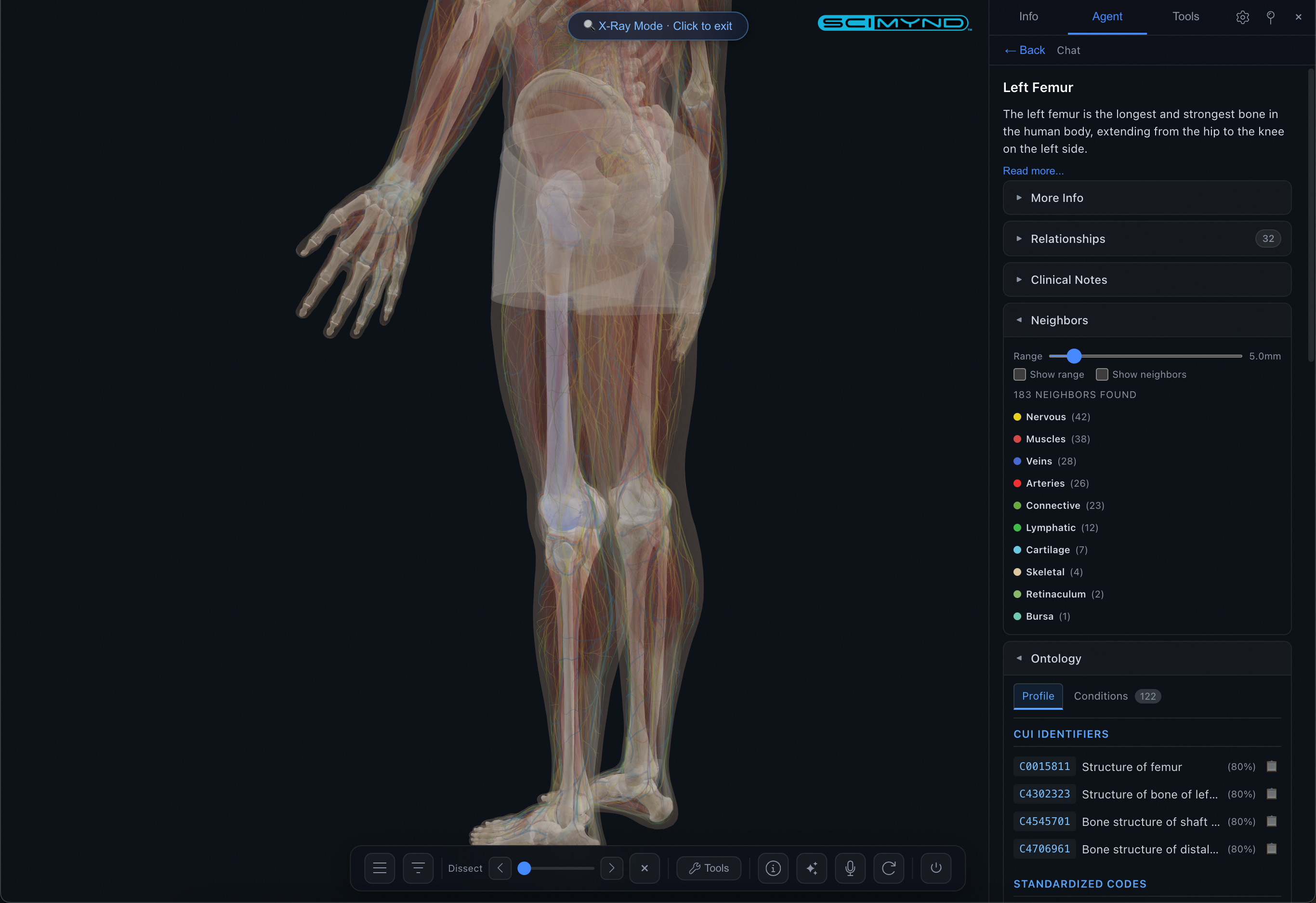
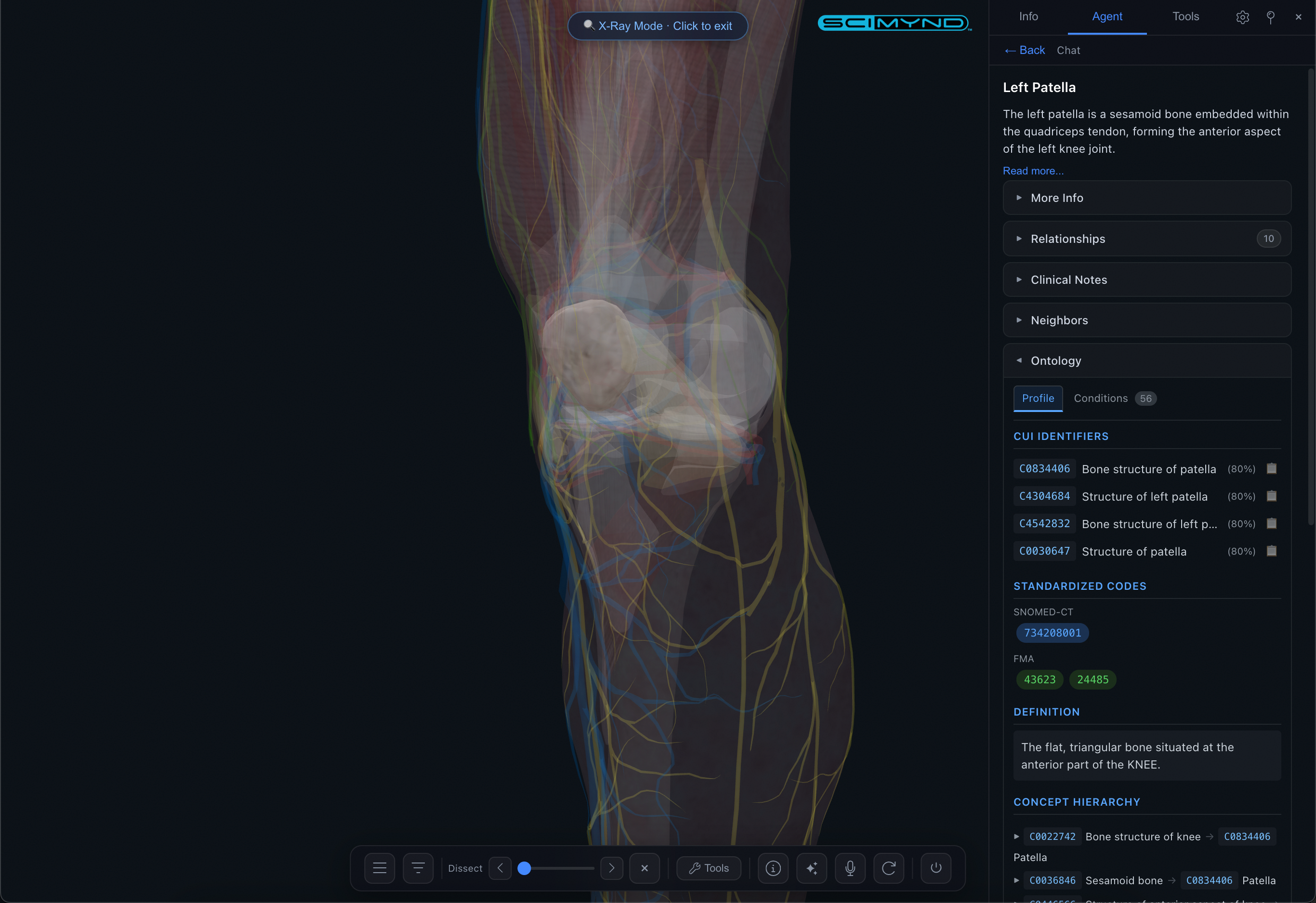
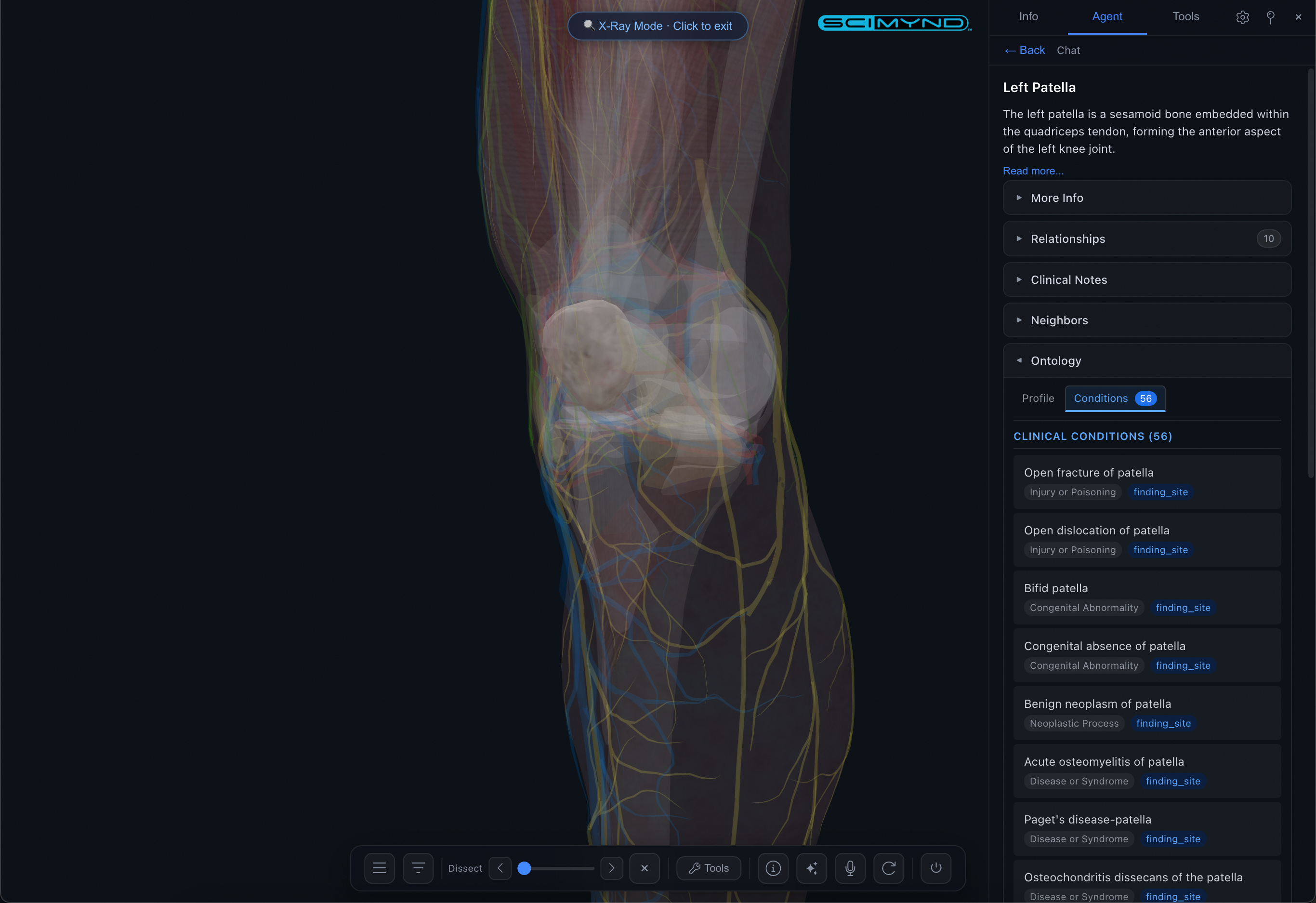
Every structure comes with detailed information including relationships, origin/insertion, innervation, neighbors with adjustable range, and clinical context.
AI Assistant
Ask anything about anatomy. The built-in AI understands the full model and responds in real time with clickable structure references right in the response.
AI Voice Control
Hands-free conversational experience. Speak naturally and the AI listens, responds, and controls the viewer simultaneously. Every action is undoable with a single word.
Guided Tours
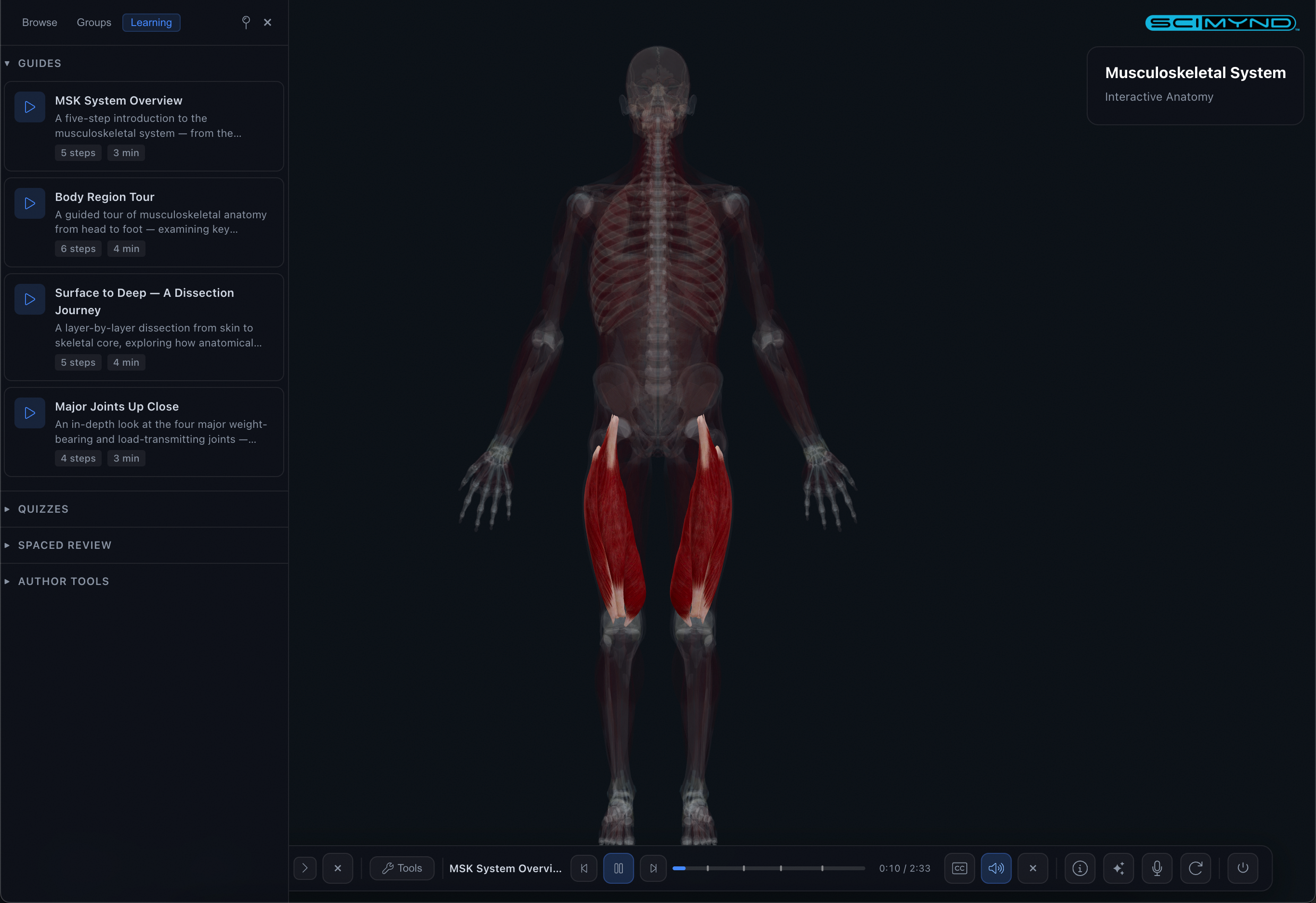
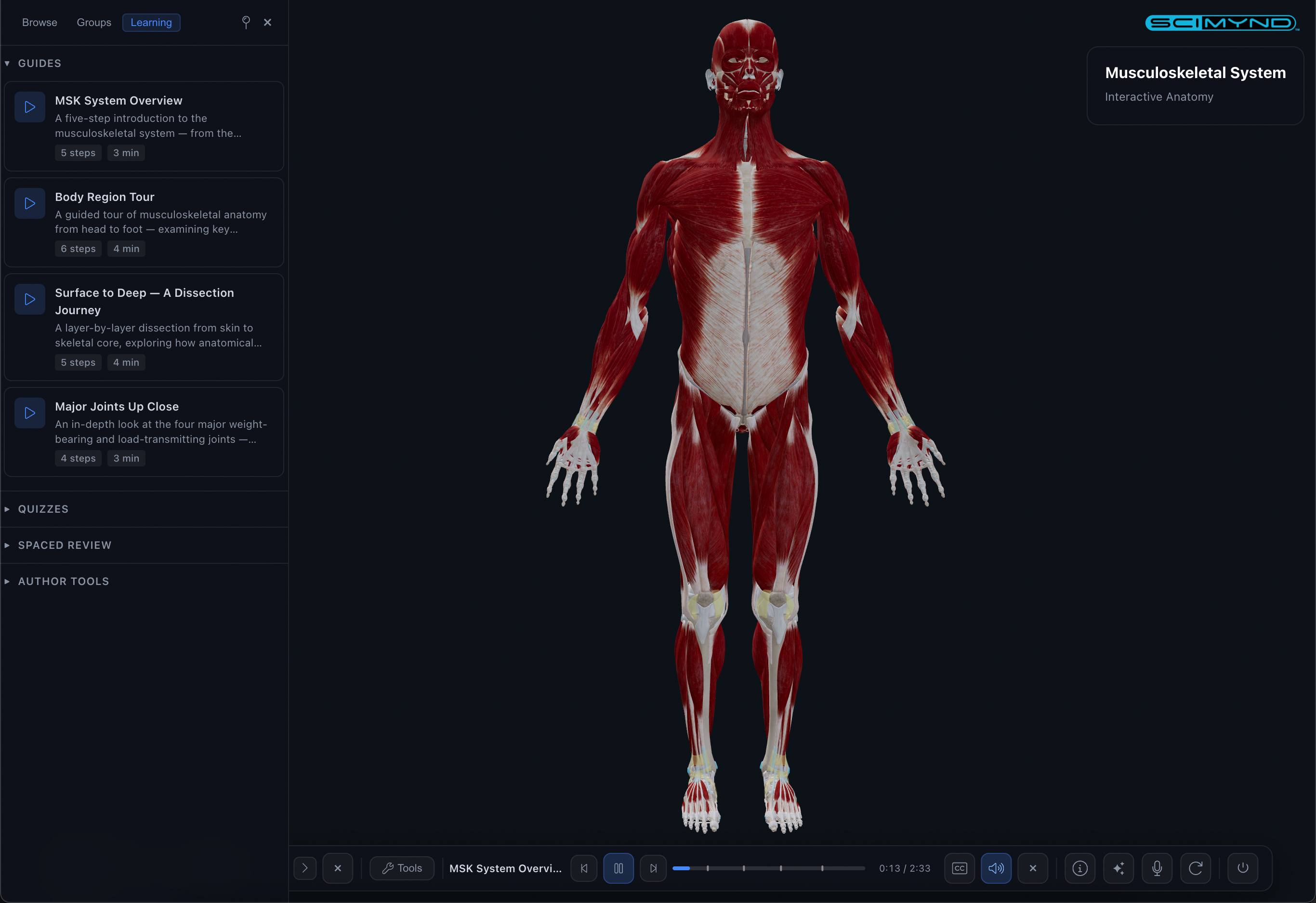
Step-by-step narrated anatomy tours with camera control, visual effects, chapter markers, and comprehension gates built right in.
Interactive Quizzes
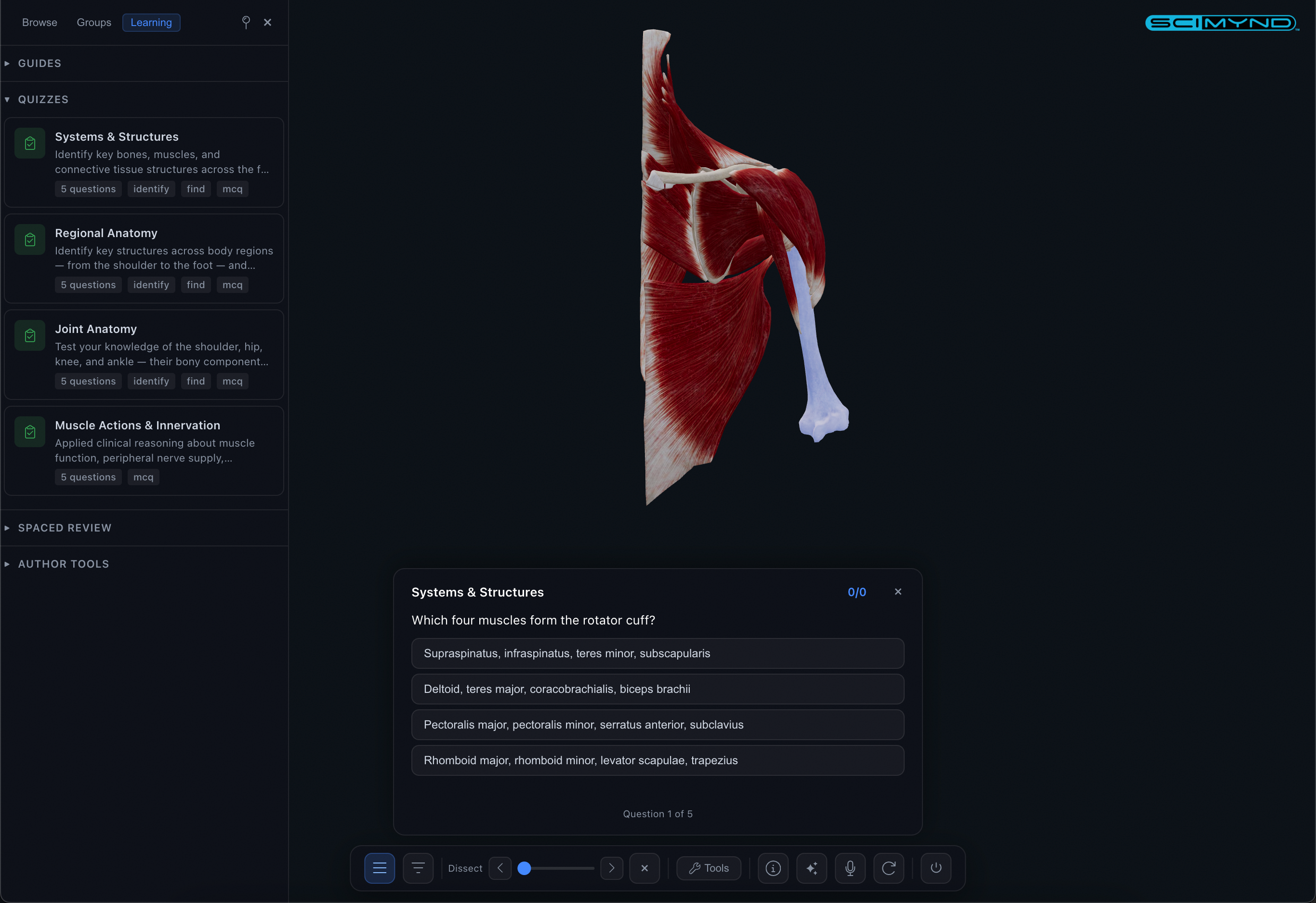
Identify mode highlights a structure and asks you to name it. Find mode asks you to click the correct structure in the 3D model. Immediate feedback with explanations.
Spaced Repetition
Tracks what you've learned and schedules reviews at optimal intervals. Mastery overlay colors the entire 3D model by review status: green for mastered, red for due.
Dissection & Clip Planes
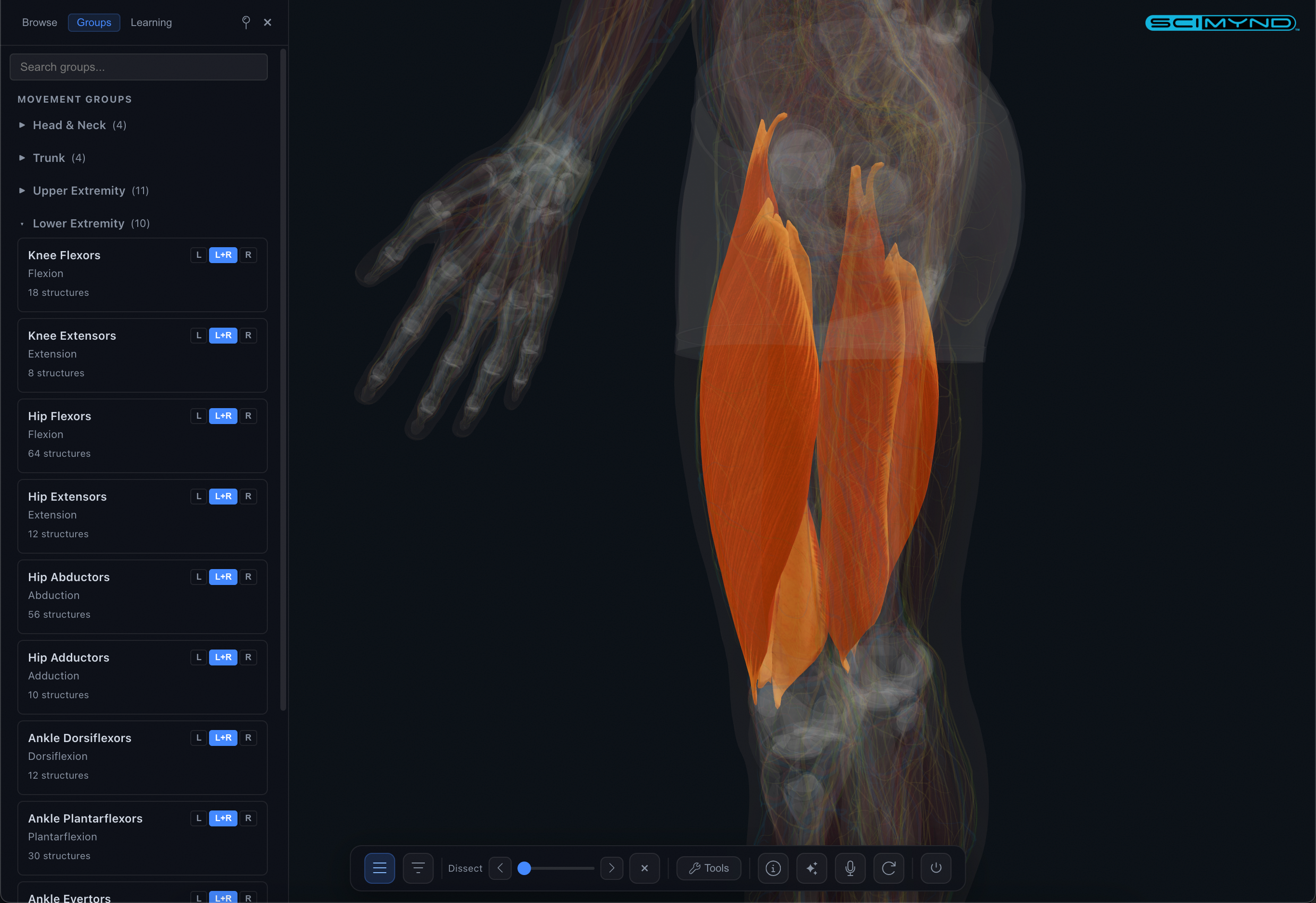
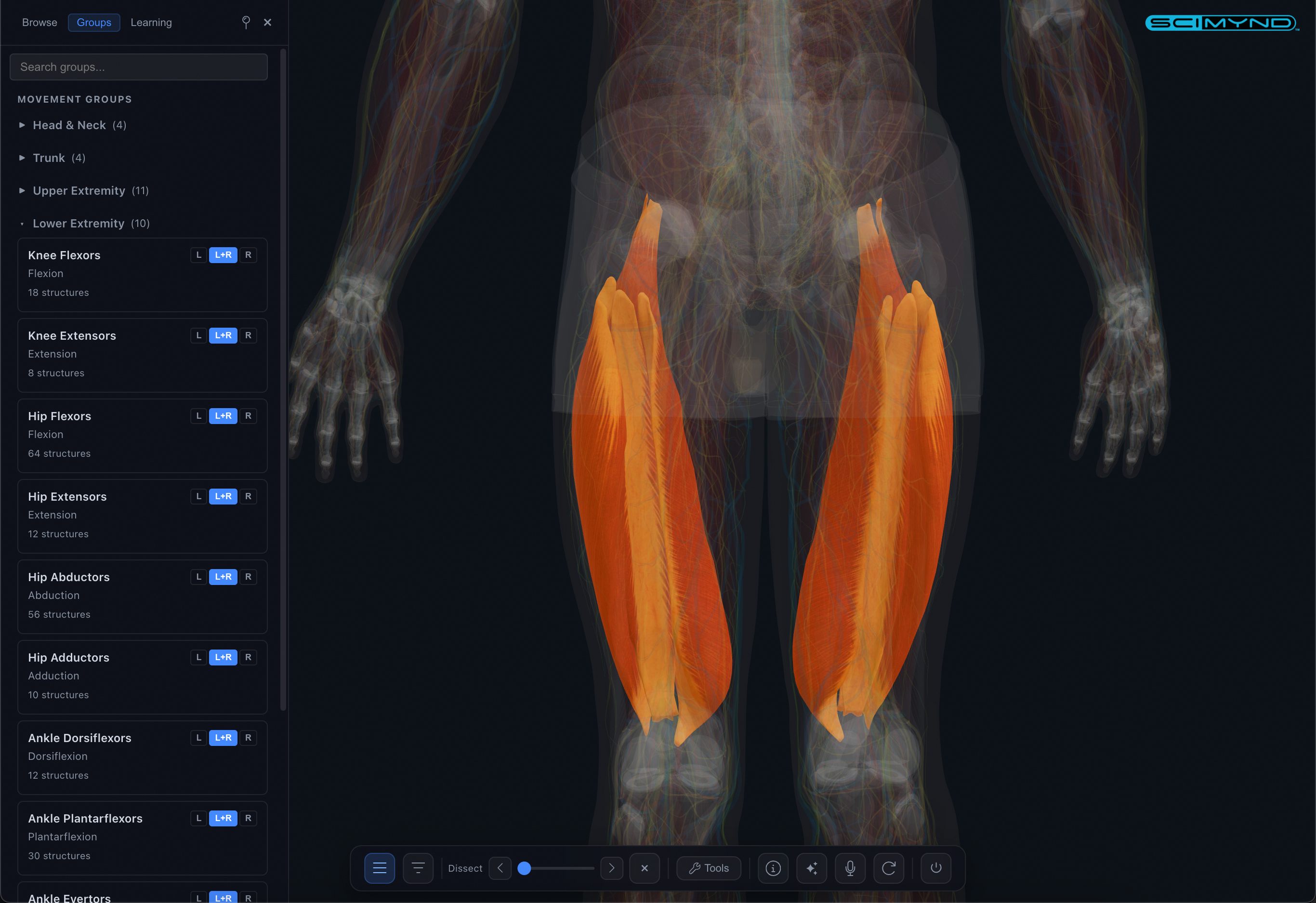
Strip away layers from skin to skeleton with the dissection slider. Anatomical clipping planes slice through the body in any direction with solid cross-section fills.
Exploded View
Separate all structures outward to reveal deeply buried anatomy. Adjustable slider controls the spread distance.
Smart Reveal & X-Ray
Focus, isolate, hide, and reveal structures. Smart reveal strips overlying layers automatically. X-Ray mode provides ghost-transparent views. Full undo support.
Presentation & Sharing
Fullscreen presentation mode with auto-rotate and laser pointer. Share any view as a link, QR code, or embeddable iframe. Labels, annotations, bookmarks, and measurements.
Visual authoring for 3D anatomy learning.
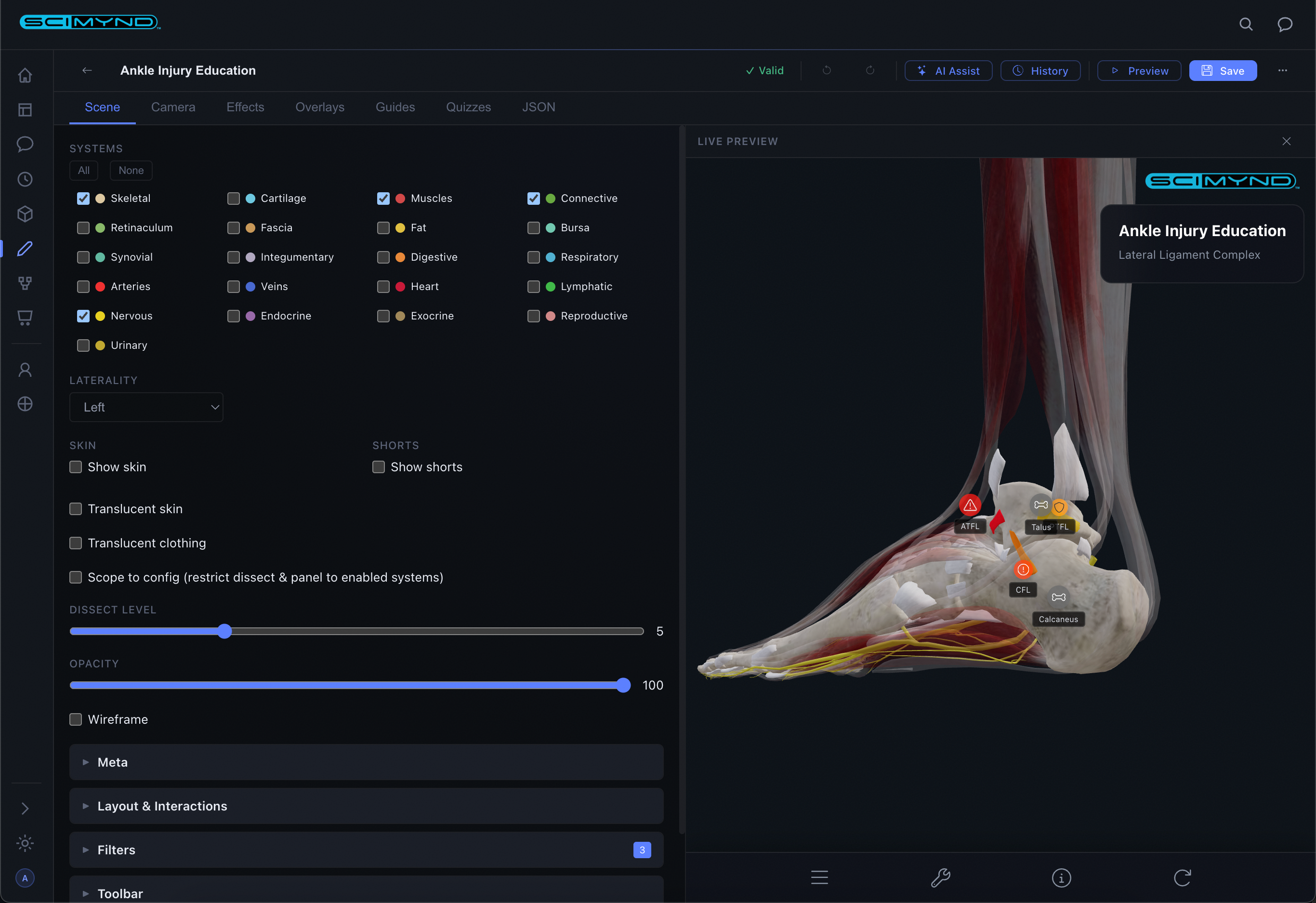
Create interactive 3D anatomy learning experiences with a visual editor, live preview, and AI that generates complete modules from plain-English descriptions.

Project Management
Visual card grid with search, category filtering, and one-click clone/edit/preview/delete. Everything managed from a single dashboard.
AI Content Generation
Describe your topic, choose specialty and content types, and AI generates a complete learning module with guided tours, quizzes, visual effects, and 3D markers in seconds.
Scene Configuration
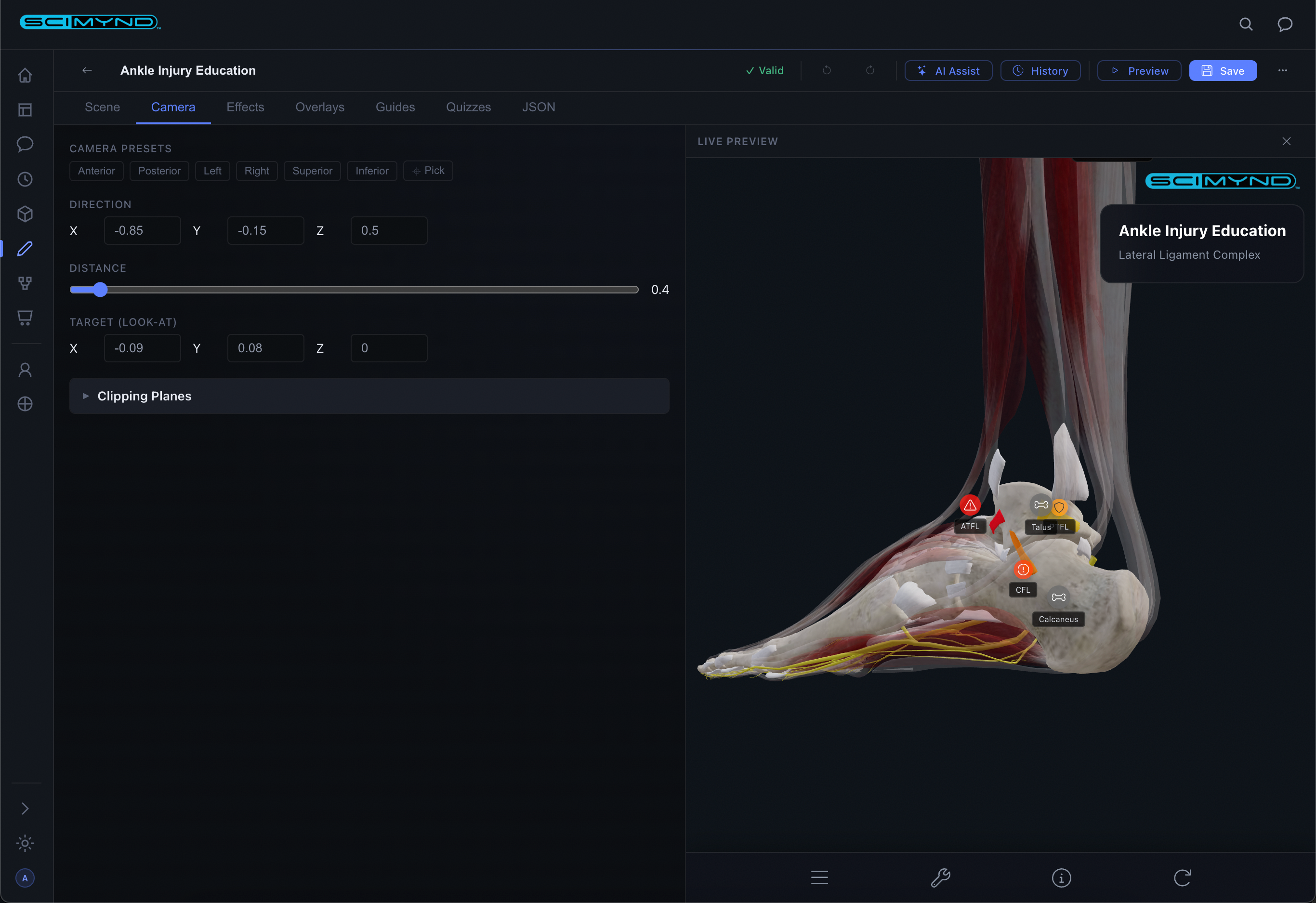
Toggle anatomical systems, set skin transparency, adjust dissection depth, configure laterality. Full control over what learners see.
Live 3D Preview
Every change updates the 3D preview in real time. Click structures in the preview to populate fields automatically. What you see is what learners get.
Visual Effects Engine
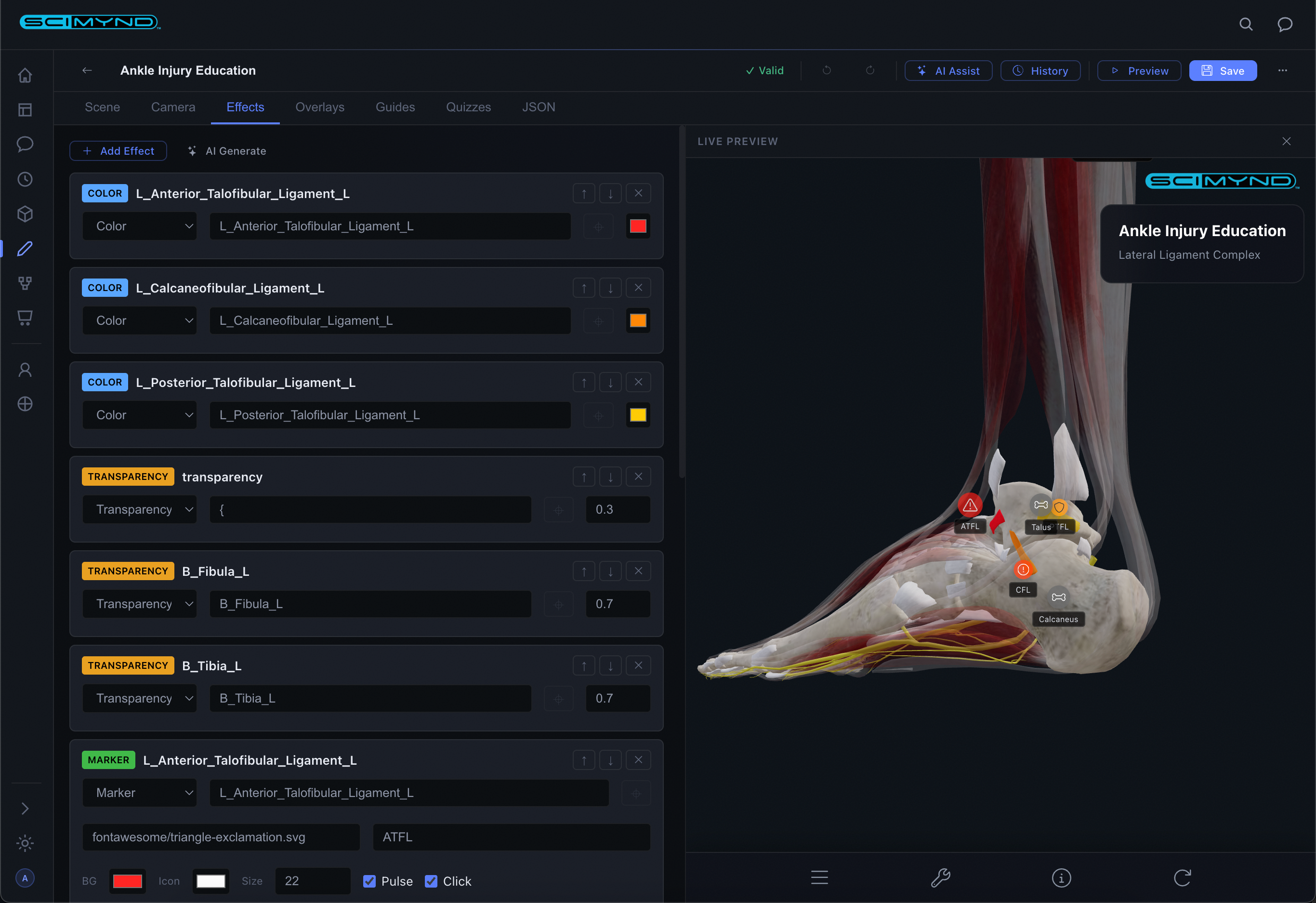
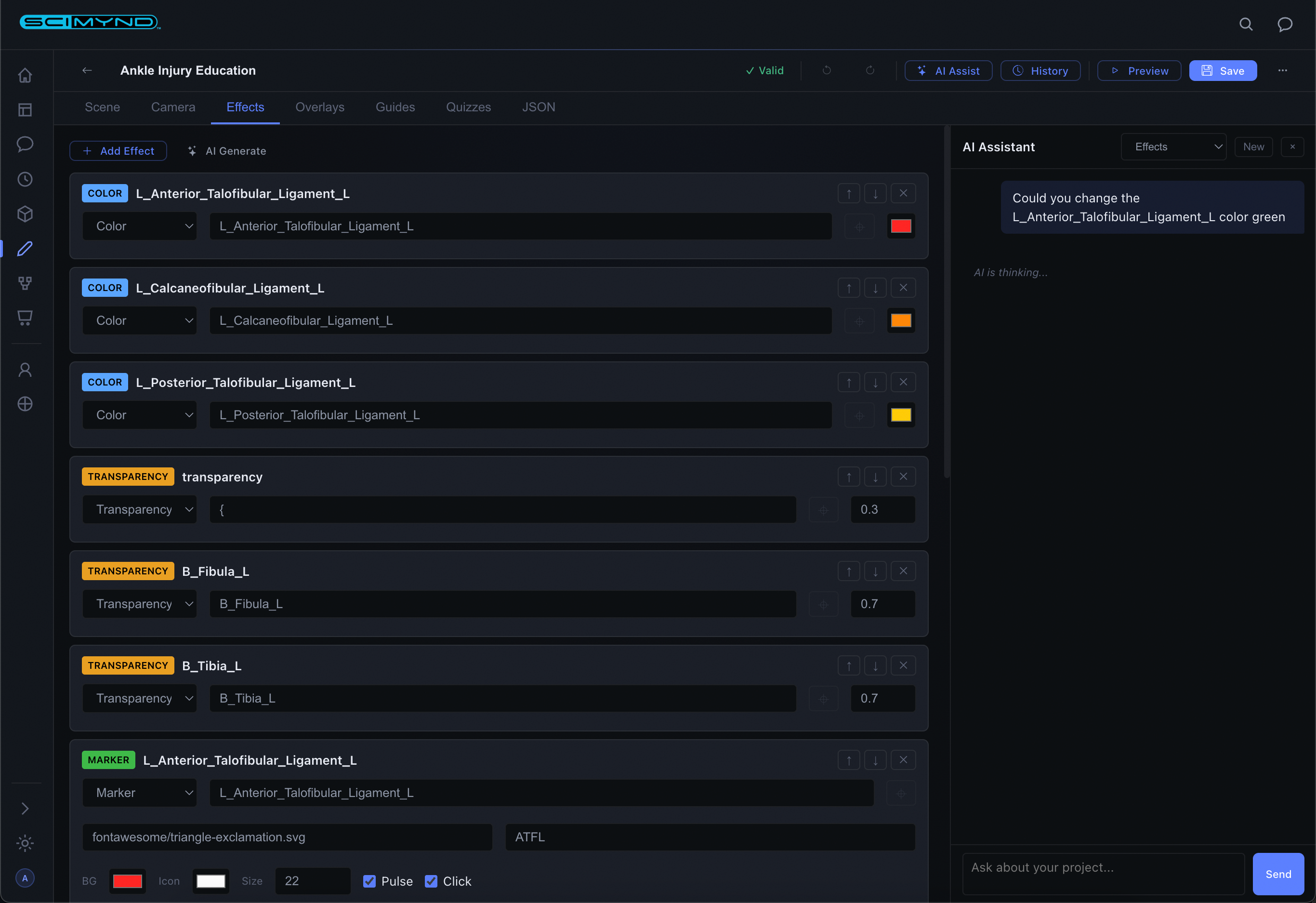
Color tints, transparency, glowing outlines, and floating markers, all targeted to specific structures. Click-to-pick directly from the 3D model.
Guided Tour Builder
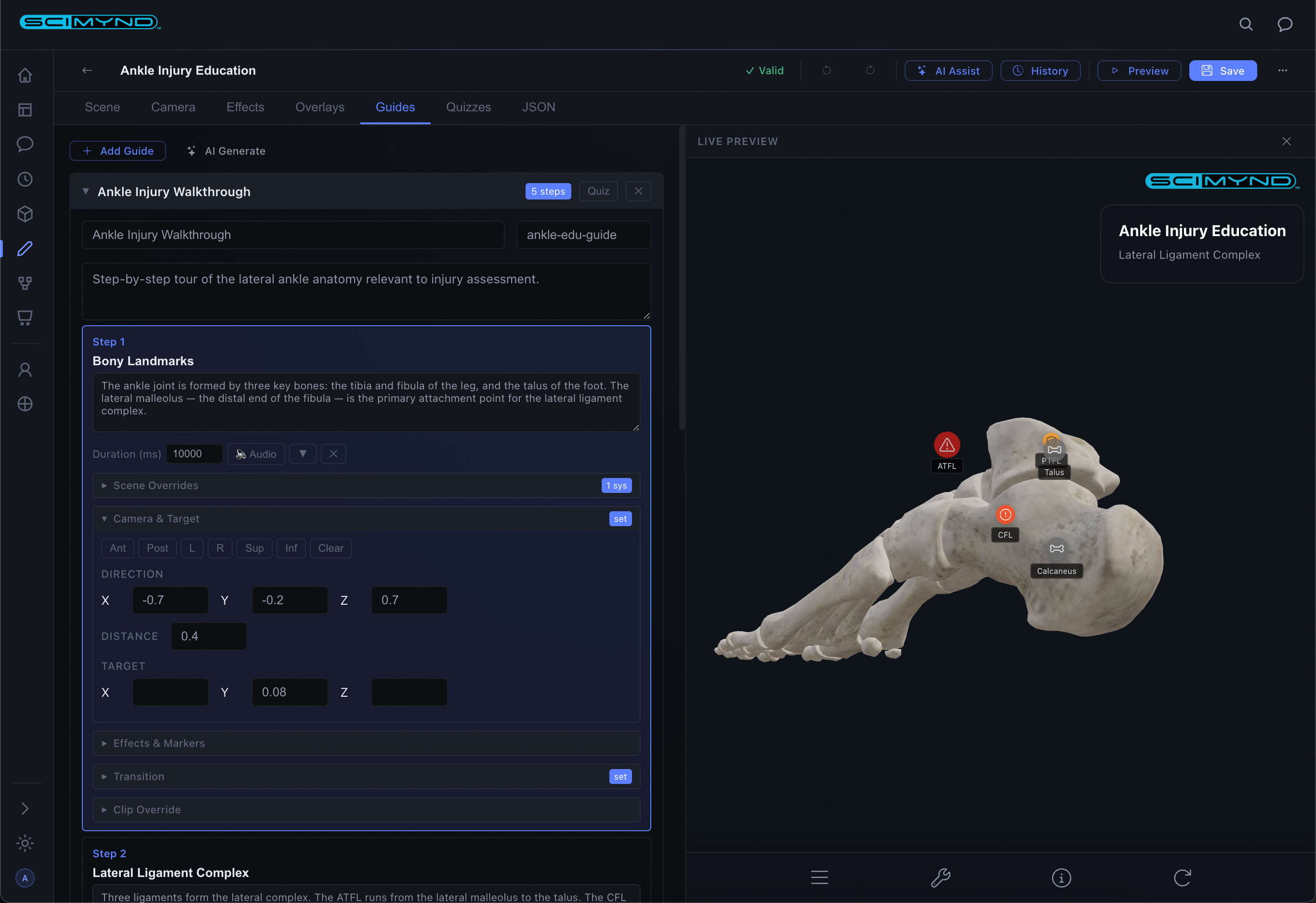
Build step-by-step narrated tours with camera control, system visibility, and visual effects per step. AI-powered audio narration generates voiceover automatically.
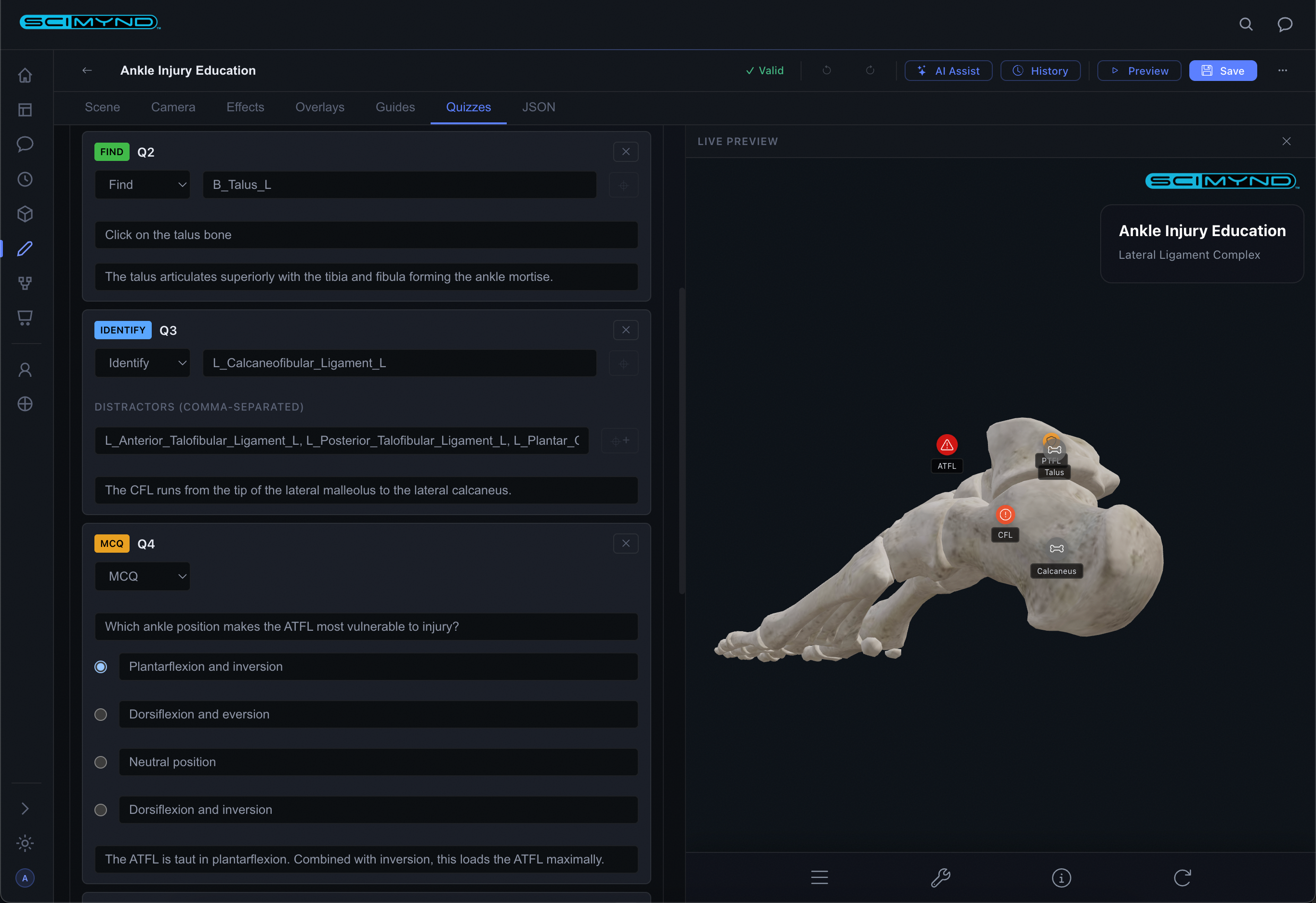
Quiz Authoring
Multiple choice, identify-from-highlight, and click-to-find in the 3D model. AI auto-generates quizzes from your guided tours.
AI Chat Assistant
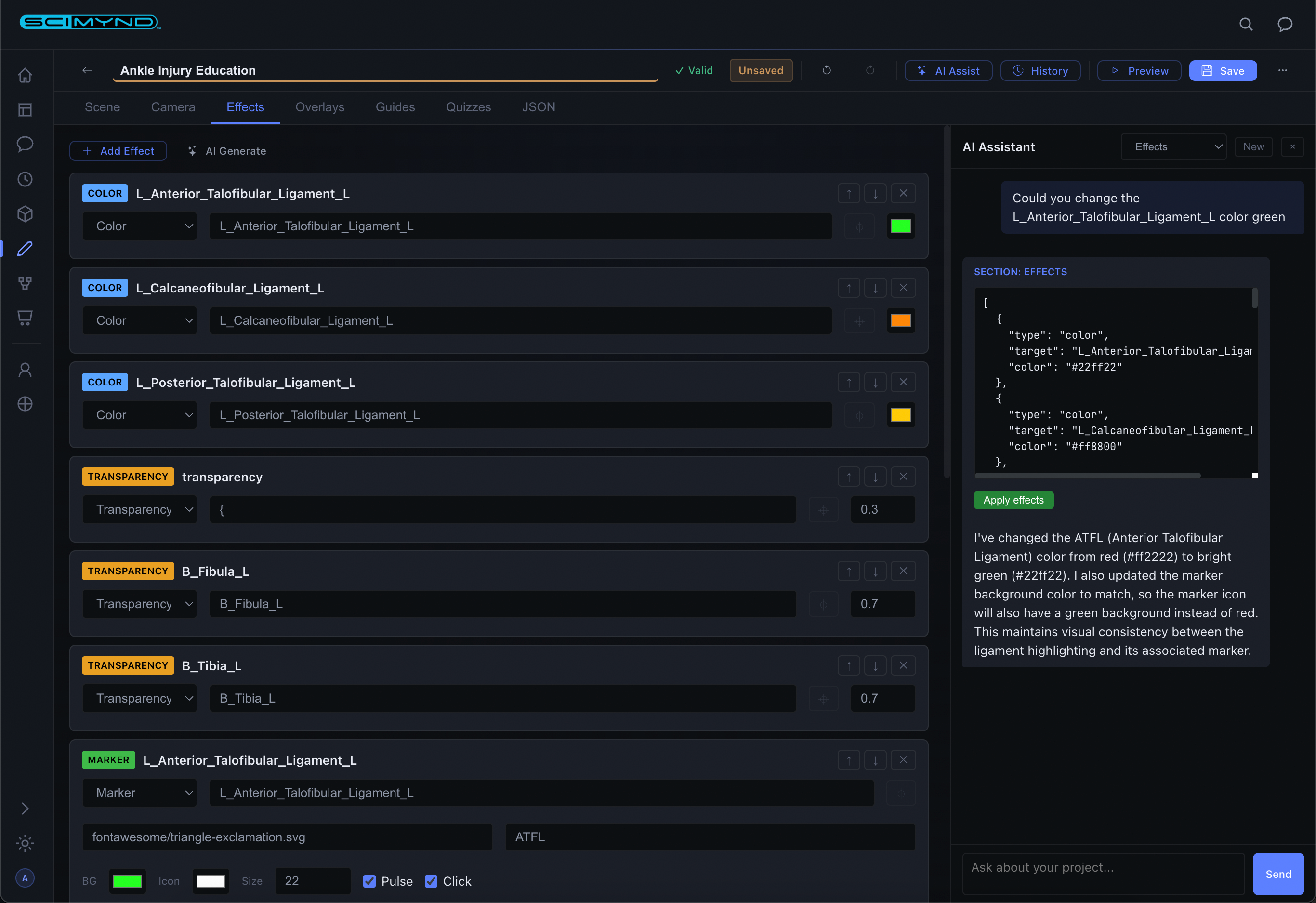
Generate entire config sections from plain English. Describe what you want, review the output, and apply it to your project with one click.
Version History
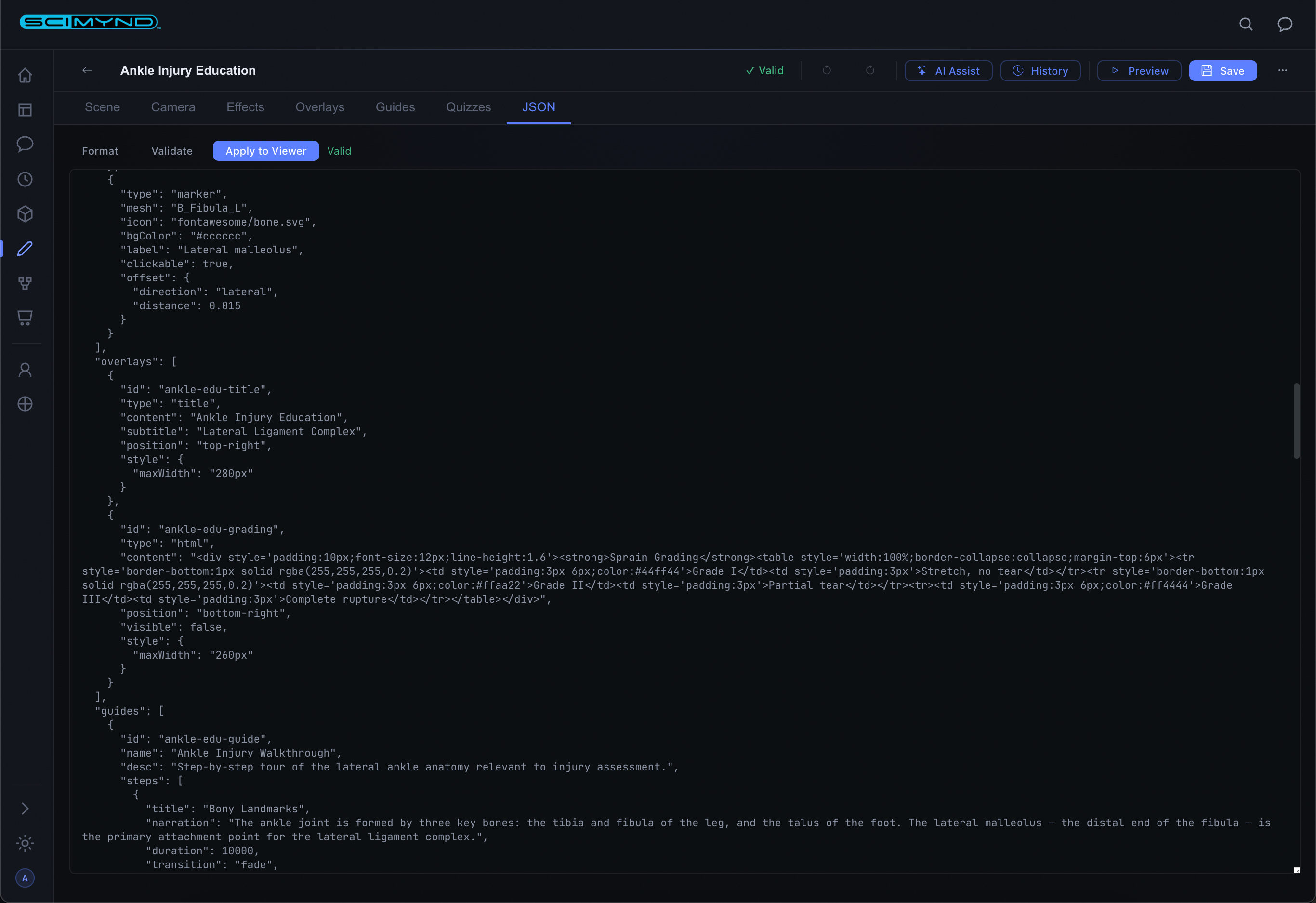
Every save creates a timestamped snapshot. View diffs, restore any previous version, and review past AI chat sessions.
Export & Publish
Save, export as LMS-compatible packages for learning management systems, or publish to the marketplace for others to use.
Your unified medical knowledge platform.
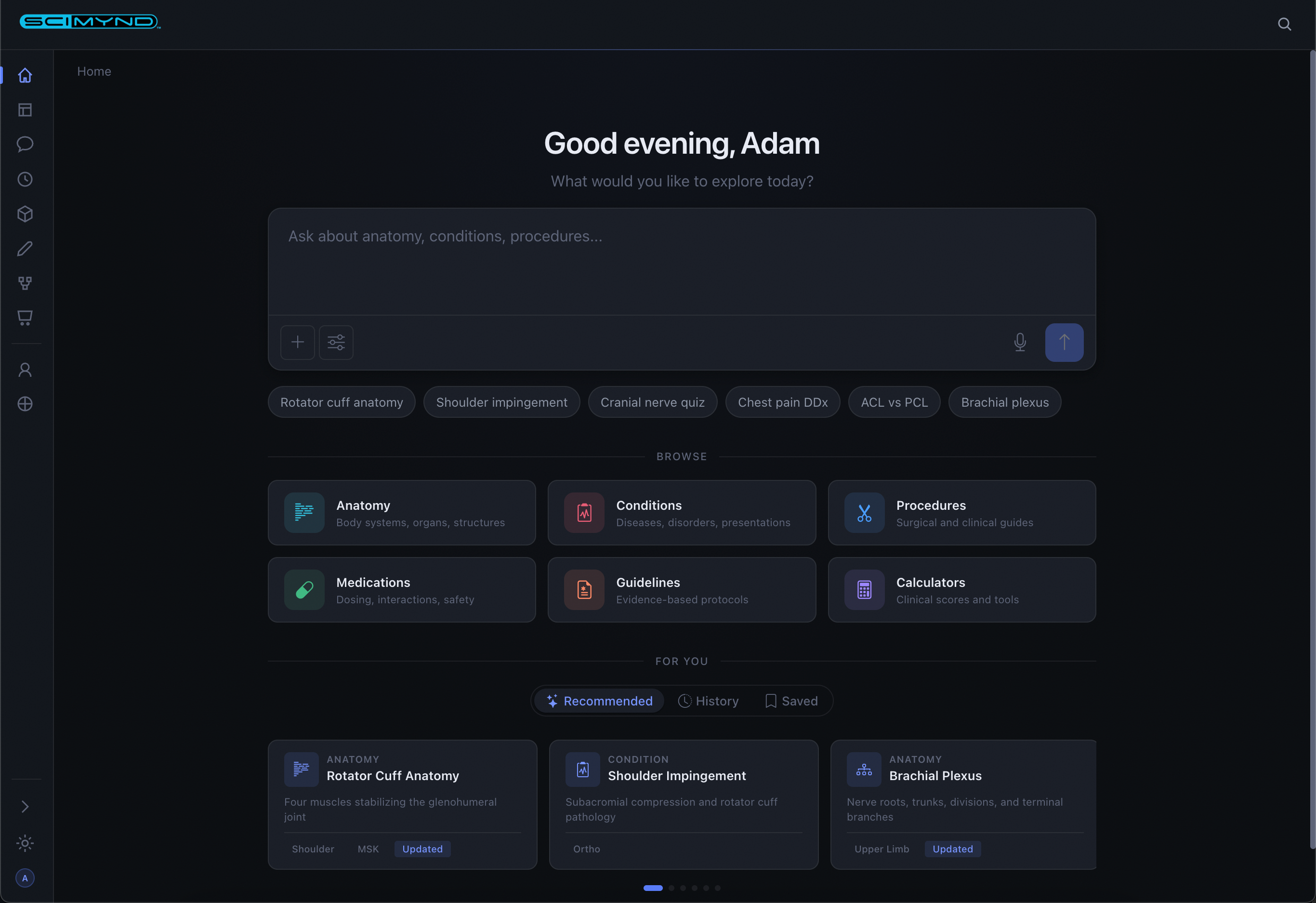
A comprehensive medical knowledge library with AI-powered chat, document management, curated collections, and integrated 3D anatomy. All in your browser.
AI Chat
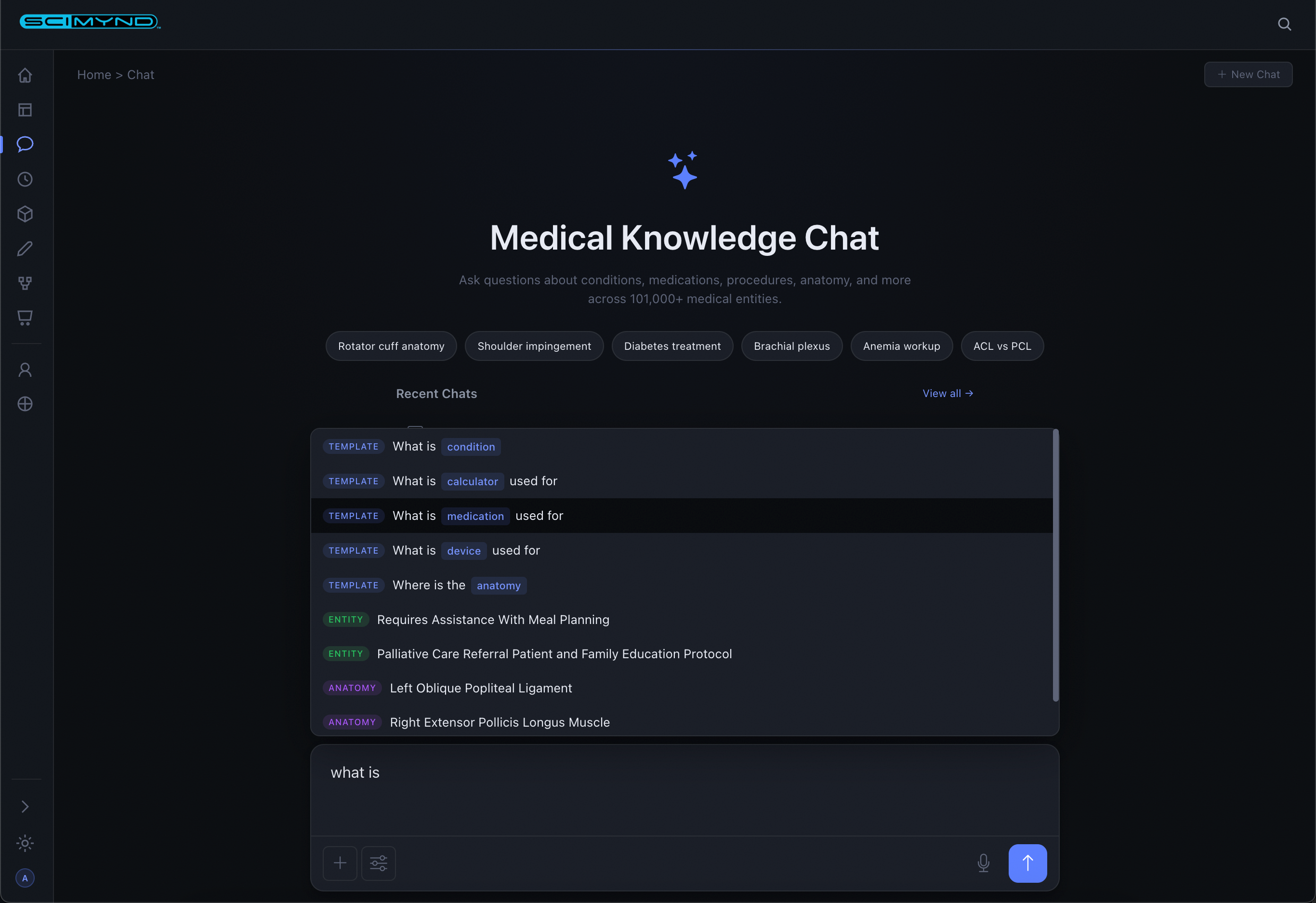
Ask anything medical. Choose from configurable AI personas: Anatomist, Physician, Surgeon, Educator, Student, or Patient. Responses stream with rich formatting, tables, and follow-up suggestions.
Voice Input
Speak your questions hands-free. Transcription appears instantly and sends to the AI. Every conversation is saved for later reference.
Knowledge Discovery
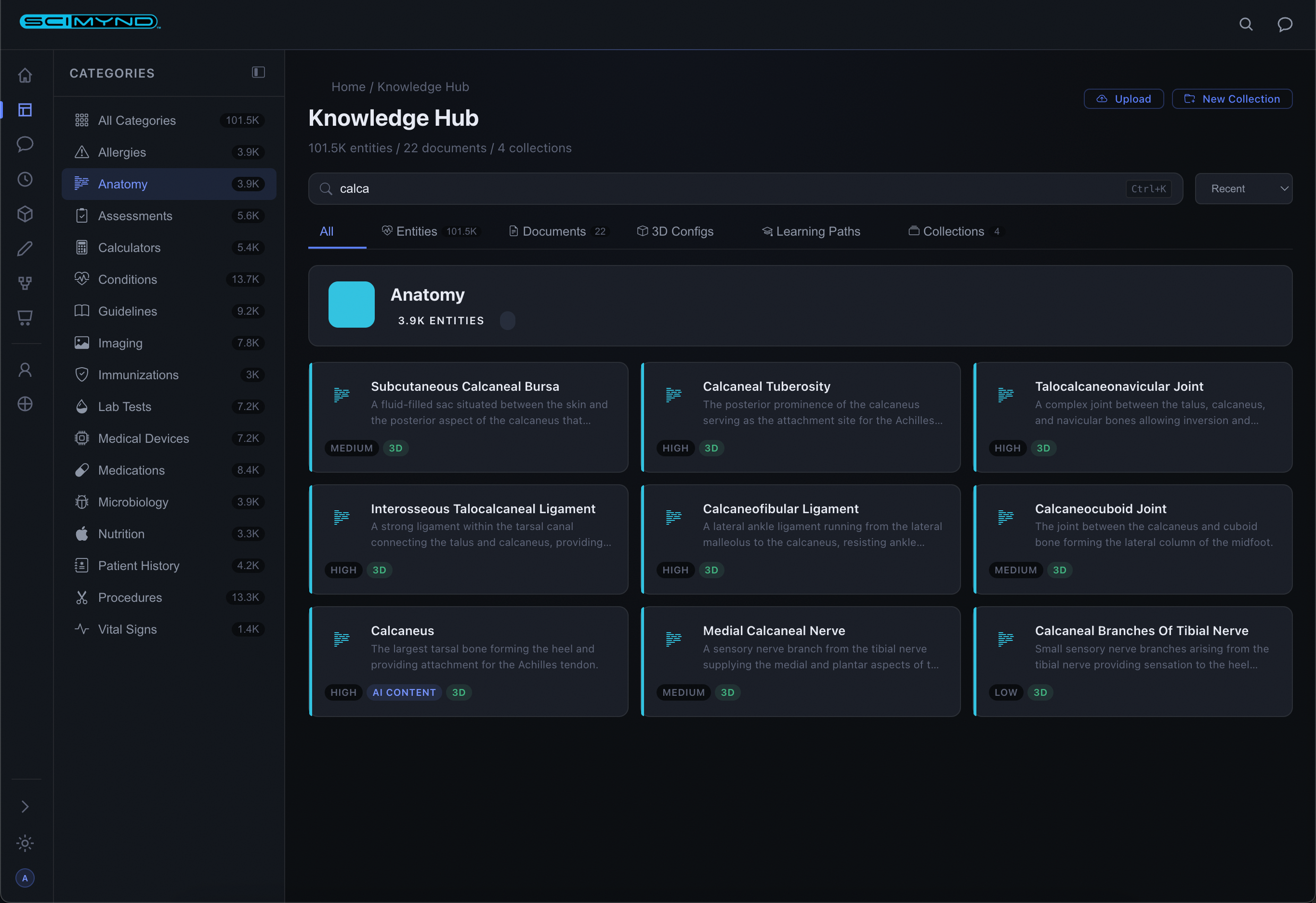
Three-panel layout with category sidebar, content grid, and stats. Browse entities, documents, 3D configs, learning paths, and collections in one unified interface.
Entity Dashboards
Rich detail pages with AI-generated content, clinical data tables, and split-screen 3D anatomy viewer. Category-adaptive layouts show the most relevant information.
Faceted Search
Visual category browsing with deep faceted search. Filter by category, importance, content type. Active filter pills with one-click clear.
Document Management
Upload PDFs, Word docs, spreadsheets, and presentations. Once uploaded, they become searchable alongside the entire medical knowledge library.
Collections
Curate knowledge into organized sets. Group entities, documents, 3D configs, and learning paths into study sets, protocol bundles, or reference libraries.
Favorites
Save any entity to your personal favorites for quick access. Build a knowledge library tailored to your practice or study needs.
Activity History
Tracks every action: dashboard views, searches, chats, and browsing. Smart date grouping and type filters make it easy to pick up where you left off.
Guided learning & clinical decision support.
Build adaptive learning experiences, clinical decision support systems, and competency assessments with a visual editor and integrated 3D anatomy.
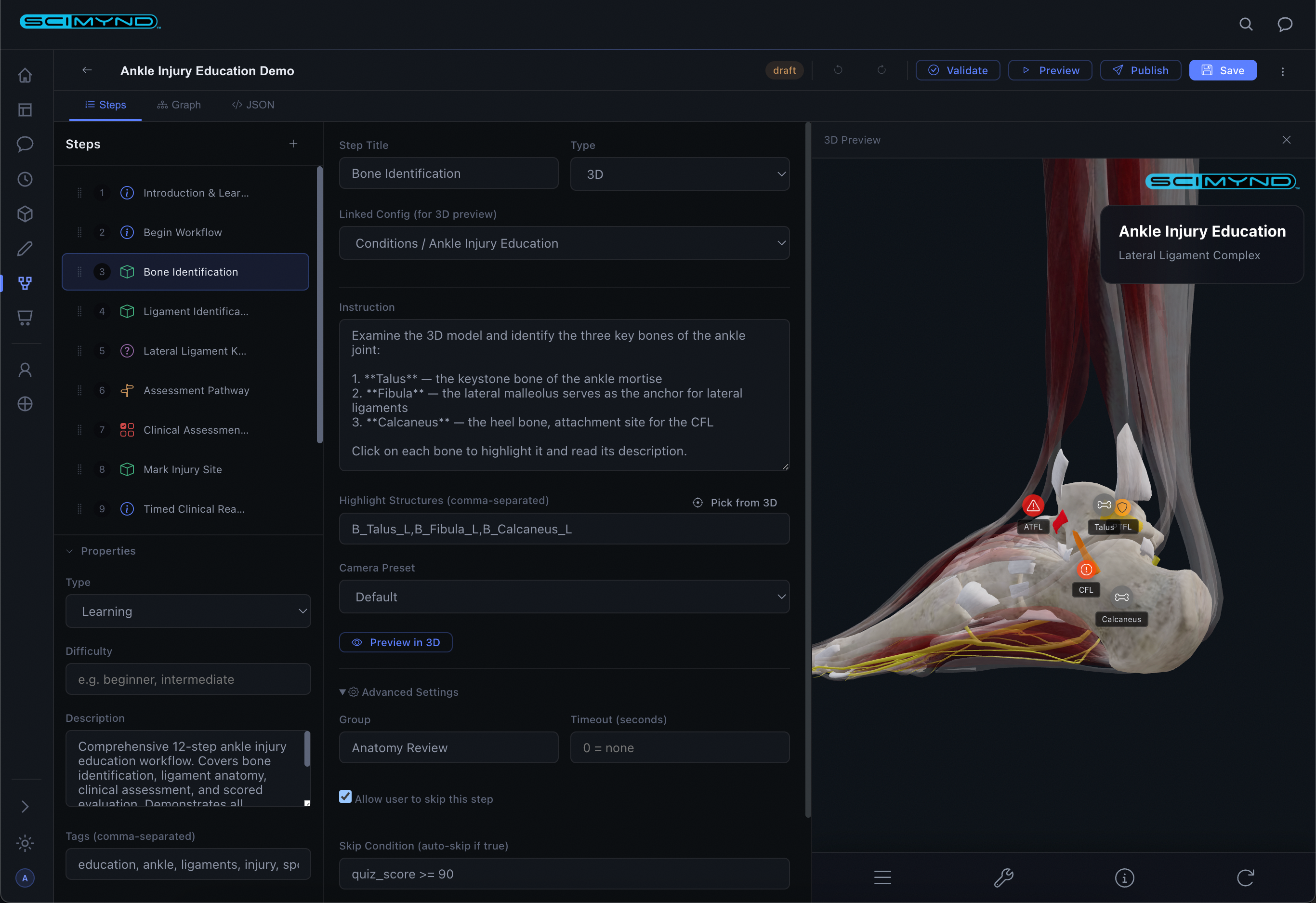
Workflow Dashboard
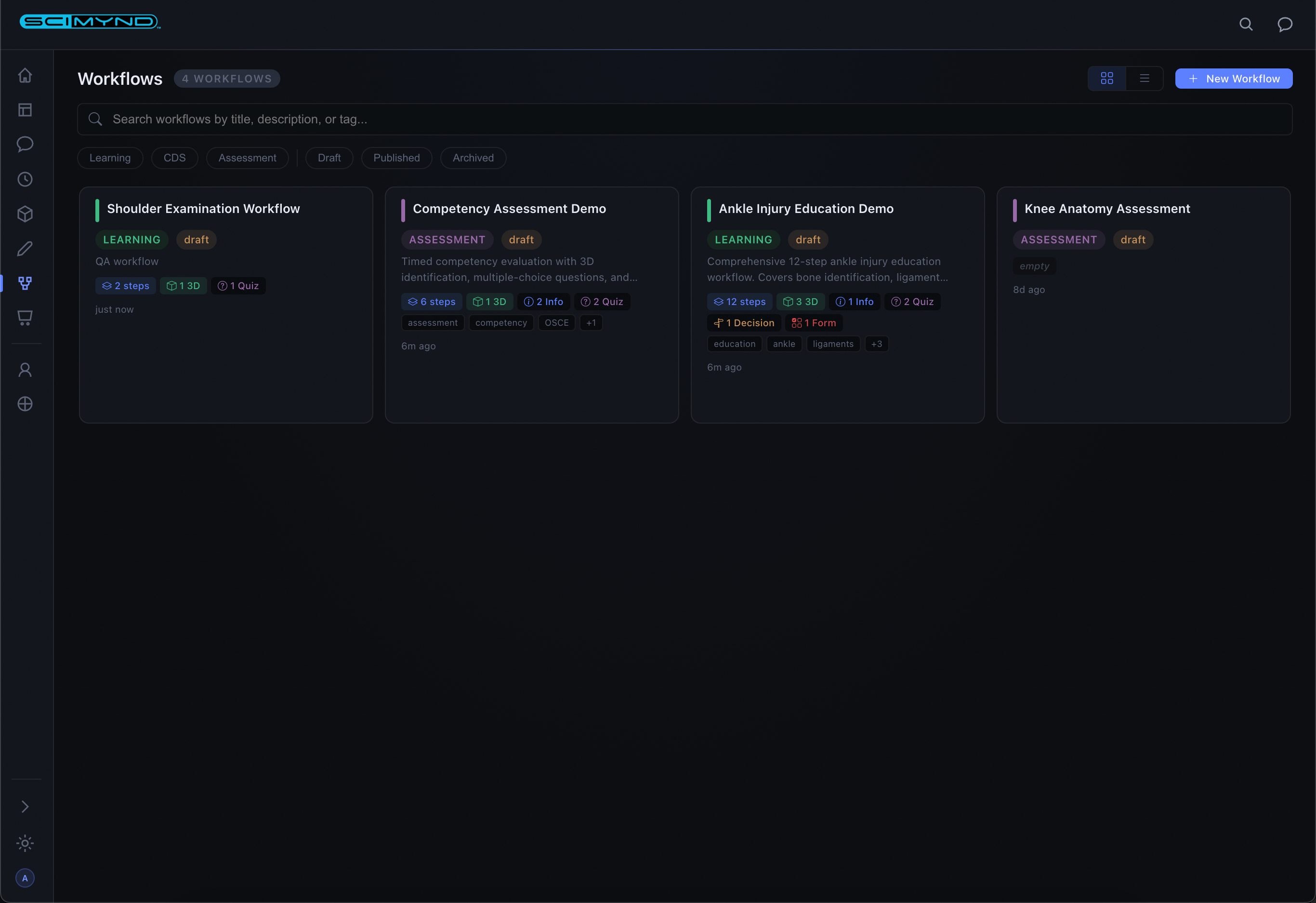
Color-coded cards by type: green for learning, blue for clinical decision support, purple for assessment. Search, filter, and manage everything from one view.
Three-Pane Editor
Step list on the left, step configuration in the center, live 3D anatomy preview on the right. Drag-to-reorder steps. Click-to-pick structures from the 3D model.
Rich Step Types
Info, Quiz, Decision, 3D Interaction, Form, Timer, Checkpoint, Start, and End nodes. Every scenario covered for learning and clinical workflows.
Visual Graph Editor
See your entire workflow as connected color-coded nodes. Auto-layout organizes everything. Decision branches visualize branching logic at a glance.
Adaptive Branching
Decision steps route users based on quiz scores, form data, or custom conditions. Auto-tracked variables from quiz results and form entries drive the logic.
AI Authoring
Describe what you want in plain English and the AI builds complete workflow structures with steps, quizzes, and 3D interactions.
Templates
Pre-built workflows for common use cases give you a head start. Browse the template library and populate a complete workflow in one click.
Workflow Runner
Clean, focused interface for learners. Each step type renders appropriately: content, quizzes with feedback, 3D anatomy, and decision points with progress tracking.
Publish Lifecycle
Draft, validate, publish, track. Validation checks your work before publishing. Version numbers increment automatically. Clear lifecycle management.
Ready to see the full platform in action?
Request a Demo